In development · Join the beta
A map of the work, for you and your assistant.
Stackmaps is a context tracker for developers who build by momentum. It keeps the main goal, every detour and the reason you took it, and the way back in one place — in your editor today, and in your coding assistant's context as it grows.

In the beta
A task tree, not tab chaos.
Start with the outcome you want — Ship checkout — as the main goal. When the work pulls you sideways, open a branch under the task that caused it and write one line about why.
- Every branch stays attached to the goal it serves.
- The reason is kept with the branch: "Stripe rejects unsigned events in staging."
- Mark a branch done and you move back up to the task it came from.
- Checklists on any task, including lists pasted from the clipboard.
- Ship checkout
- Add Stripe payment intentsNeeded for 3-D Secure cards
- Repair webhook verificationStripe rejects unsigned events in staging
- Replay failed staging eventsTest orders never confirmed
- Repair webhook verificationStripe rejects unsigned events in staging
- Order summary on mobile
- Analytics eventsDeferred: not needed to ship checkout
- Add Stripe payment intentsNeeded for 3-D Secure cards
In the beta
See the whole shape — and the path you're on.
The visual map lays out every branch at once. The route from the goal to the task you're on is highlighted, finished work is marked, and a detour that has grown into its own project is obvious at a glance. Pan, zoom, and select a task to jump to it.

In the beta
A trail back, and a place to start again.
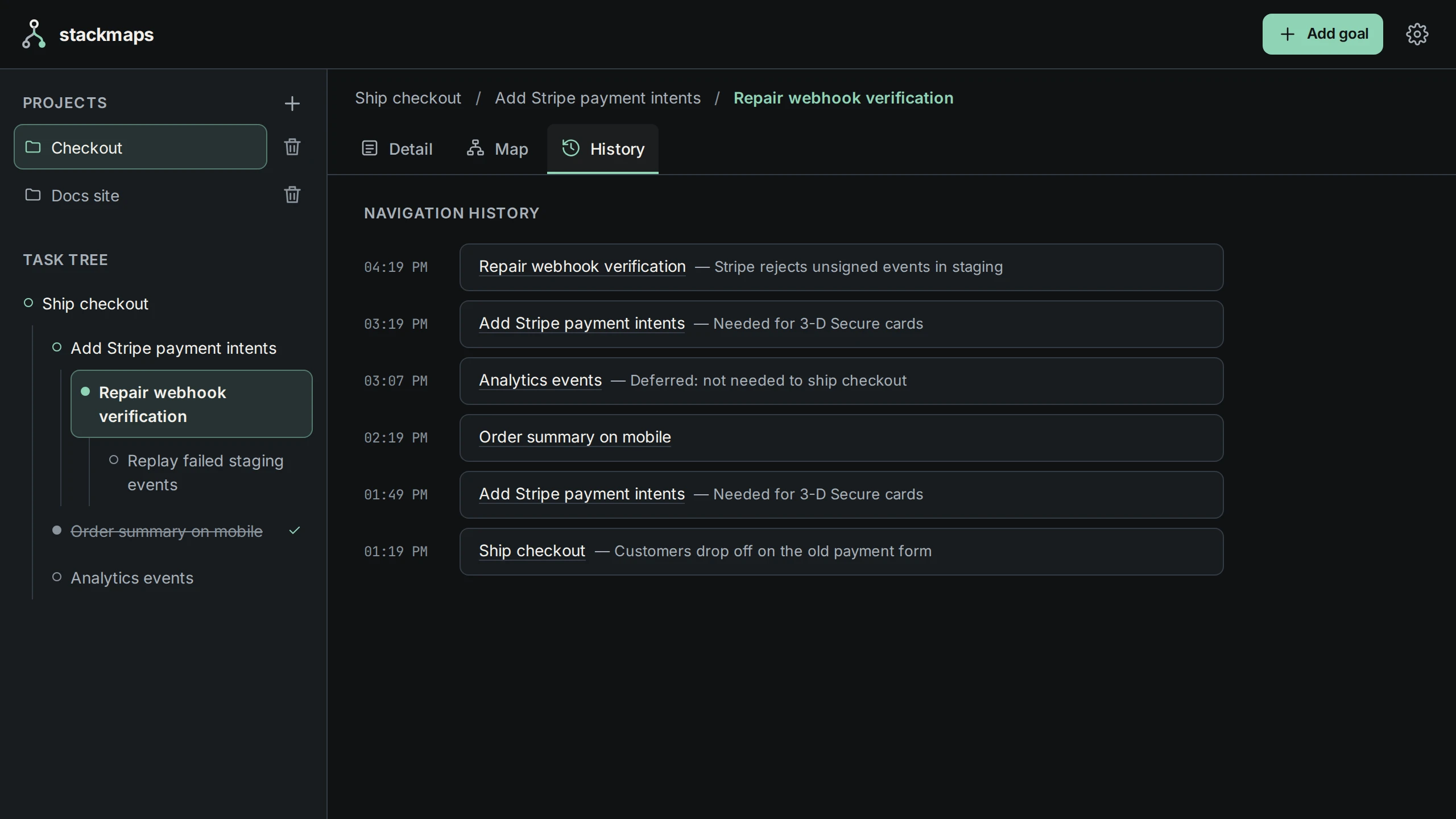
Navigation history
Every task you visit is logged in order, with the time and the reason. When you've lost the thread, the history shows exactly how you got here — select an entry to go back.
Resume card
Come back after a meeting, a weekend or a week. The resume card shows the main goal, where you stopped and why, the next unchecked item, and when you were last there.
Planned
Decisions, blockers and next steps, kept with the work.
The hardest context to rebuild is what you decided and what's in the way. Stackmaps will record both next to the task they belong to, so the resume view can tell you not just where you stopped, but what's blocking you and what you already ruled out.
Today you capture these in branch reasons and checklists, as in the example. Dedicated notes are planned.
- Main goal
- Ship checkout
- You stopped at
- Repair webhook verification
- Blocker
- Webhook secret missing from staging config
- Decided
- Analytics events deferred until after launch
- Next step
- Add the secret, then verify the handler
- Then return to
- Add Stripe payment intents › Ship checkout
AI context
From your context to your assistant's.
-
In the beta
AI context checks
In the editor extension, with your own Anthropic, OpenAI or Gemini key: an analysis of where to return after a branch; Focus Guardian, which steps in when you're three or more levels deep and suggests a way to close the detour; and an auto note summarising the path you took.
-
Planned
Context for supported assistants
An MCP integration so supported coding assistants can read the goal, the active path, the reason, blockers and next step — and a new session starts where you stopped instead of from zero.
Stackmaps provides context; your assistant and your tools do the work. It doesn't launch assistant sessions, run code or move repositories.
goal       Ship checkout
path       Ship checkout › Add Stripe payment intents
           › Repair webhook verification
why        Stripe rejects unsigned events in staging
blocker    Webhook secret missing from staging config
decided    Analytics events deferred until after launch
next Add the secret, then verify the handlerPlanned
Continue away from your desk.
A mobile app is planned, so you can check where a project stands, capture a thought for the next step, and pick up at your desk exactly where you left off. It doesn't exist yet — beta feedback will shape what it does first.
Checkout
Repair webhook verification
Stripe rejects unsigned events in staging
Next step
Add the secret, then verify the handler
Blocker
Webhook secret missing from staging config
Example workflow
An afternoon with Stackmaps.
1 · Goal
Add "Ship checkout" as the main goal
Why: customers drop off on the old payment form.
2 · Branch
Branch into payment intents, then the webhook fix
Each with its one-line reason. The map now shows a path two levels deep.
3 · Blocker
Hit the missing staging secret
Paste your notes as a checklist: reproduce, add the secret, verify with a test event.
4 · Decision
Park analytics events
Record it as a branch with the reason "deferred: not needed to ship checkout".
5 · Next morning
Open the project and resume
The resume card shows the goal, where you stopped and the next unchecked item.
6 · Return
Finish the detour and go up
Mark the webhook fix done and you're back on payment intents — and one step from shipping checkout.
Want to try it on your own projects?
Join the beta waitlist. Invitations go out in batches, and accepted testers get every premium feature free for life.
Join the beta waitlist